Fortinet white logo
Fortinet white logo

What's new

What's new

The following sections describe new features, enhancements, and changes in FortiProxy 7.4.6:

Packet capture enhancements

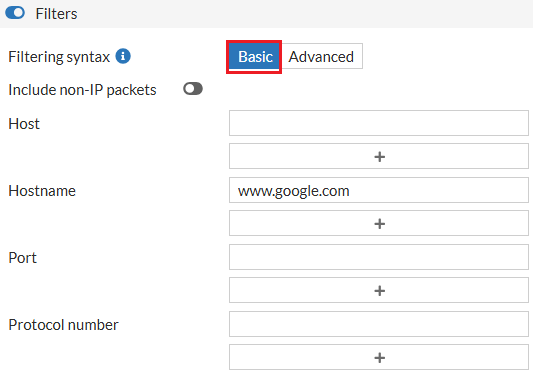
Packet capture has been enhanced. When defining a capture, multiple interfaces can be configured to capture packets on, making it easier to see both sides of a conversation on one screen, and easier to troubleshoot issues with return traffic in the network. Host names can also be used instead of IP addresses for the filter. The IP address of the hostname is resolved, and then the captures starts. The snapshot length specifies the maximum number of bytes captured per packet by the packet capture utility.

To configure the features in the GUI:
  1. Go to Network > Diagnostics and, on the Packet capture tab, click New packet capture.

  2. Configure the interfaces, the Snapshot Length, and filter by one or more hostnames.
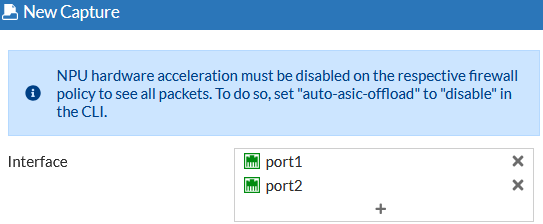
  3. Configure other settings are needed and start the capture.

To configure the features in the CLI:
diagnose sniffer packet <interface> <filter> <verbose> <count> <tsformat> <frame size> <hostnames>

See diagnose sniffer packet in the CLI guide for more details.

SR-IOV support on KVM, VMware, and Azure

FortiProxy 7.4.6 adds support for SR-IOV on KVM, VMware, and Azure to optimize FortiProxy-VM performance.

New Reputable Websites page

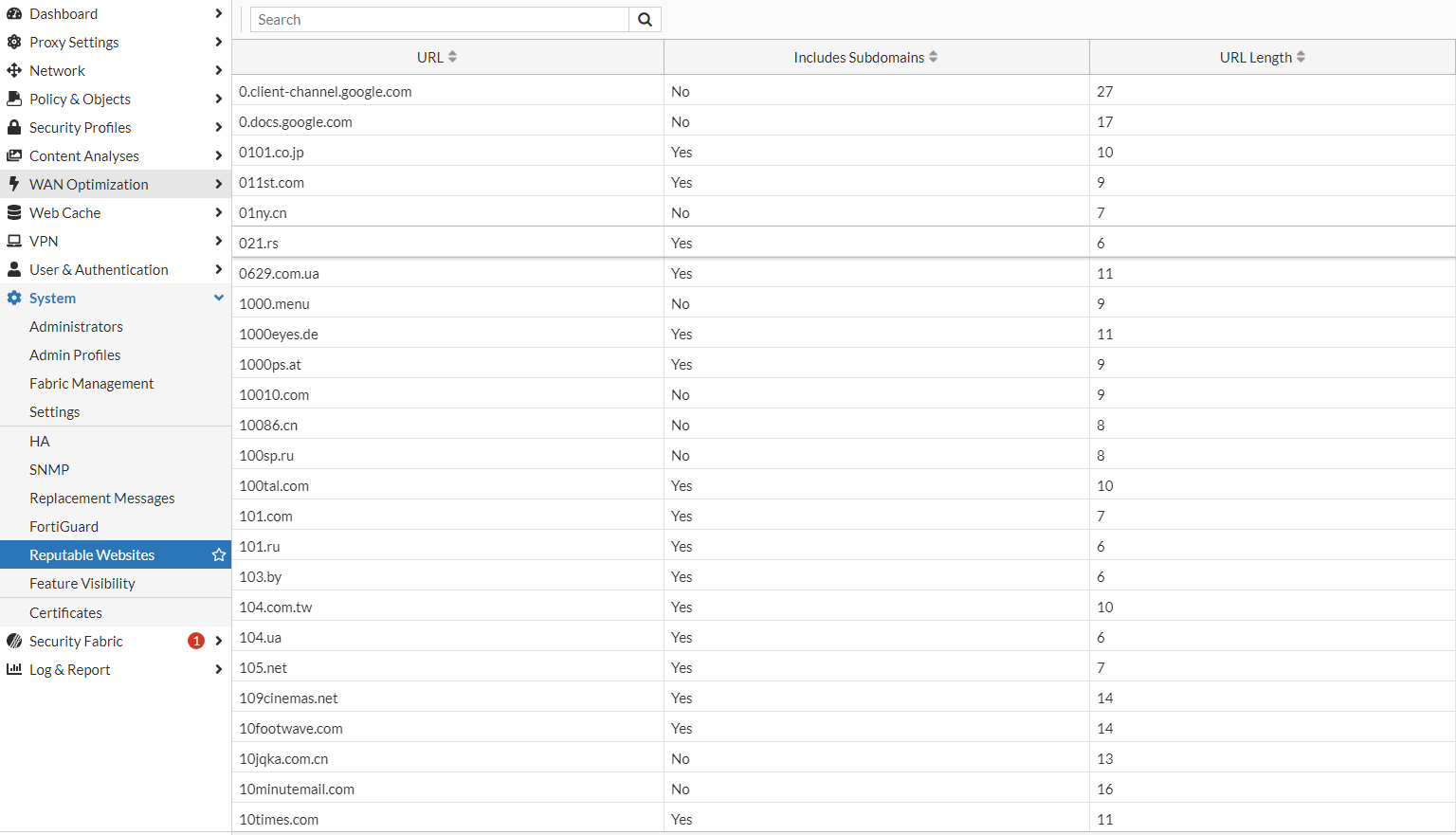
Use the new System > Reputable Websites page to view the list of trusted URLs by FortiProxy. The list is synchronized from FortiGuard. You can search the list for an IP or domain.

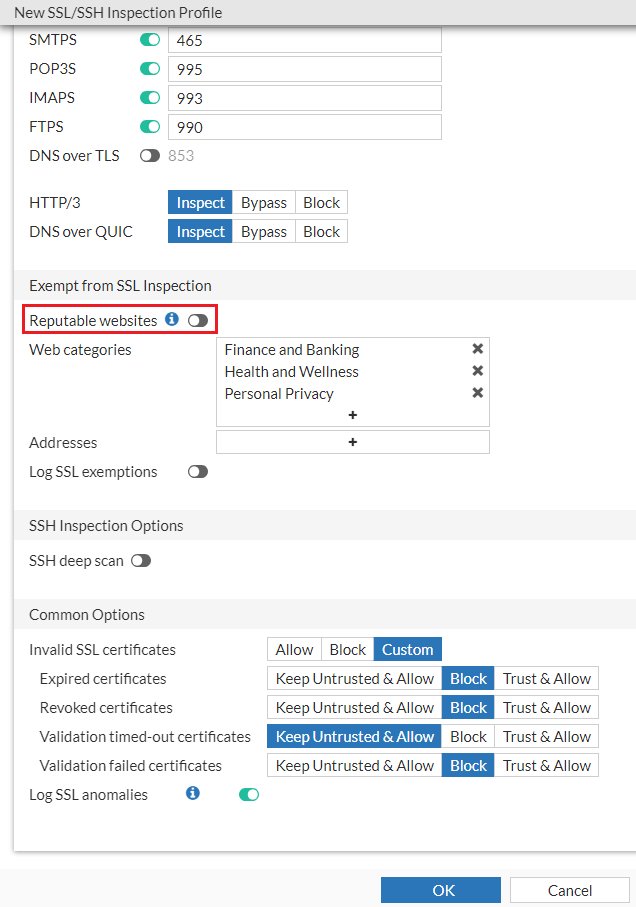
To exclude reputable websites from SSL deep inspection, enable the Reputable websites option under SSL/SSH Inspection.

Web forwarding server column

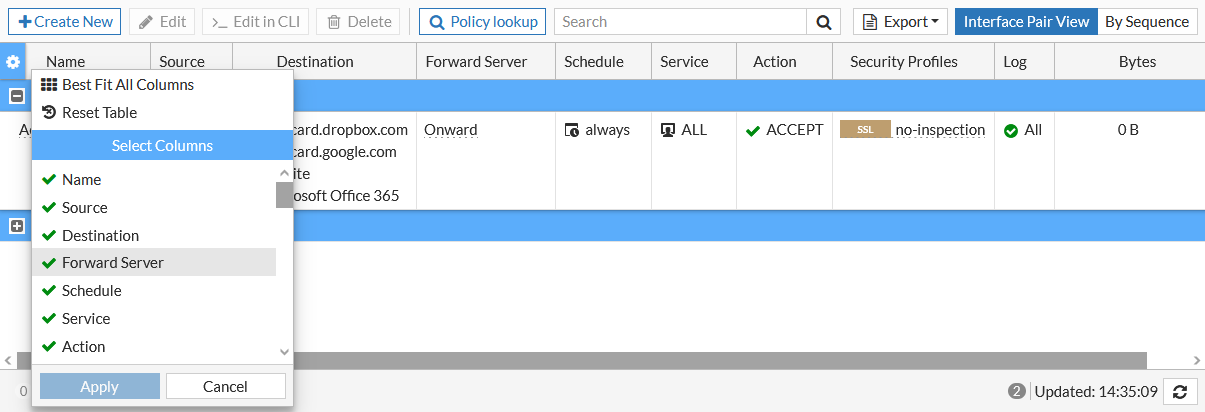
A Forward Server column can be added to the policy overview table. It shows the upstream forwarding server that the policy will forward traffic to.

IP based user authentication through portal authentication without HTTP redirection

For IP-based authentication, if negotiate is enabled in its active scheme, the form-auth-fallback command is available. When enabled, if an exception occurs while processing the ticket, the user will be prompted to enter user name and password. Captive portal must be enabled.

By default, form-auth-fallback is disabled.

config authentication rule
    edit "krb-rules"
        set srcintf "any"
        set srcaddr "all"
        set dstaddr "all"
        set active-auth-method "krb-scheme"
        set form-auth-fallback enable
    next
end

Customizable syslog format option

To better support 3rd party integrations, syslog format options can be customized.

config log syslogd setting
    set format custom
    config log-templates
        edit 1
            set category traffic
            set template "$(date) $(time) $(logid)"
        next
    next
end

category <category>

The log category.

template <string>

The log template string.

Header replacement in web-proxy profile

In web-proxy profiles, the header can be replaced.

config web-proxy profile
    edit my_profile
        config headers
            edit 1
                set name "server"
                set action add-to-response
                set add-option {replace | replace-when-match}
                set content "content_changed"
            next
        end
    next
end

replace

Replace content to existing HTTP header or create new header if HTTP header is not found.

replace-when-match

Replace content to existing HTTP header.

What's new

What's new

The following sections describe new features, enhancements, and changes in FortiProxy 7.4.6:

Packet capture enhancements

Packet capture has been enhanced. When defining a capture, multiple interfaces can be configured to capture packets on, making it easier to see both sides of a conversation on one screen, and easier to troubleshoot issues with return traffic in the network. Host names can also be used instead of IP addresses for the filter. The IP address of the hostname is resolved, and then the captures starts. The snapshot length specifies the maximum number of bytes captured per packet by the packet capture utility.

To configure the features in the GUI:
  1. Go to Network > Diagnostics and, on the Packet capture tab, click New packet capture.

  2. Configure the interfaces, the Snapshot Length, and filter by one or more hostnames.

  3. Configure other settings are needed and start the capture.

To configure the features in the CLI:
diagnose sniffer packet <interface> <filter> <verbose> <count> <tsformat> <frame size> <hostnames>

See diagnose sniffer packet in the CLI guide for more details.

SR-IOV support on KVM, VMware, and Azure

FortiProxy 7.4.6 adds support for SR-IOV on KVM, VMware, and Azure to optimize FortiProxy-VM performance.

New Reputable Websites page

Use the new System > Reputable Websites page to view the list of trusted URLs by FortiProxy. The list is synchronized from FortiGuard. You can search the list for an IP or domain.
To exclude reputable websites from SSL deep inspection, enable the Reputable websites option under SSL/SSH Inspection.
Web forwarding server column

A Forward Server column can be added to the policy overview table. It shows the upstream forwarding server that the policy will forward traffic to.
IP based user authentication through portal authentication without HTTP redirection

For IP-based authentication, if negotiate is enabled in its active scheme, the form-auth-fallback command is available. When enabled, if an exception occurs while processing the ticket, the user will be prompted to enter user name and password. Captive portal must be enabled.

By default, form-auth-fallback is disabled.

config authentication rule
    edit "krb-rules"
        set srcintf "any"
        set srcaddr "all"
        set dstaddr "all"
        set active-auth-method "krb-scheme"
        set form-auth-fallback enable
    next
end

Customizable syslog format option

To better support 3rd party integrations, syslog format options can be customized.

config log syslogd setting
    set format custom
    config log-templates
        edit 1
            set category traffic
            set template "$(date) $(time) $(logid)"
        next
    next
end

category <category>

The log category.

template <string>

The log template string.

Header replacement in web-proxy profile

In web-proxy profiles, the header can be replaced.

config web-proxy profile
    edit my_profile
        config headers
            edit 1
                set name "server"
                set action add-to-response
                set add-option {replace | replace-when-match}
                set content "content_changed"
            next
        end
    next
end

replace

Replace content to existing HTTP header or create new header if HTTP header is not found.

replace-when-match

Replace content to existing HTTP header.